
FREE iPod Touch / iPhone 3G / iPhone 3GS / Apple TV TIPS & TRICKS. Its easy to forget the tips you find from the Internet. Thus, one of the way is to keep the important tips that I always used in my Blog. It will also help some of the people who faced similar problems.
Wednesday, March 30, 2011


Friday, March 25, 2011
And Today - Microsoft Surface 2 Demo - CES 2011
Technology changes so fast for the past 3 years and here's how the Microsoft Surface 2 looks like today...
3 Years Ago - Microsoft Surface: Hands-on First Look
It has now become a common display shown in exhibitions and even in the TV Series CSI.
Sunday, March 20, 2011
Living Tomorrow: house of the future
- Its a dream house where the technology assist your daily chores.
- Somehow that video showed a terrible touch screen technology. Very slow and unfriendly. But I believed with the touch screen technology which Apple introduced in their iPhones and iPads, I am sure the control can be much easier.
- Will this be your dream house, guys?
Microsoft's Future Vision in HD ; Windows Home Concept
- Although this video is being said to be from the year 2004, its amazing to see all of these are available now.
- Apple's Airplay can stream images, audios and videos across the rooms. Apple's SmartCover can turn the iPad 2 into a "Fridge Magnet" and become everyday's companion in the kitchen. But that's Apple who has been the first to revolutionize the use of Tablet PCs.
- But we also have seen many Tablet PCs from various OSes such as Blackberry, Windows and Android too.
- Our home is not going to be the same now...
Microsoft's Future Vision 2019
Yes... I do believe this gonna happen in the near future
All the technologies are already available now but probably too expensive for consumers.
Imagine this will happen in your lifetime... Its not too far...
Saturday, March 19, 2011
Apple News - Upgrade to the new MobileMe Calendar by May 5, 2011

|
Monday, March 14, 2011
Jailbreak Apple iPad 2


@comex managed to Jailbreak the latest Apple iPad2. It will take some time before we will see anything like Jailbreakme solution.
Wait for the latest updates!
Sunday, March 13, 2011
iPad vs iPad 2 comparison: RAM performance in Mobile Safari
Whoa! The iPad 2 is certainly have a better performance as compared to iPad 1.
Are you getting one?
Monday, March 7, 2011
Download iOS 4.3 PwnageTool Bundle for iPhone 3GS (Old and New Bootrom) and iPhone 4
[HOW-TO] - Jailbreak iPod touch 4G / 3G on iOS 4.3 GM Using PwnageTool (Tethered JB)
- Can’t wait to Jailbreak your iPod Touch iOS 4.3?
- Wait no more... if you are willing to Jailbreak in a more slightly difficult than the normal Pwnage Tool, you can use the method below.
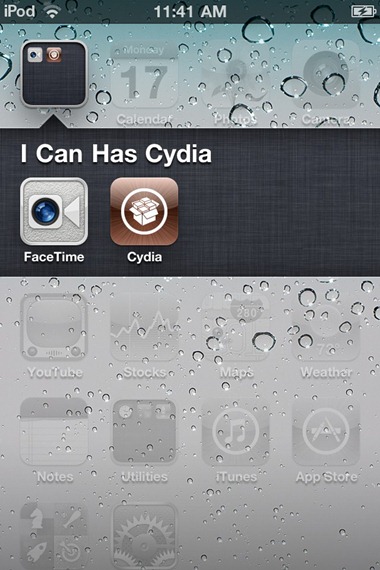
Unfortunately though, this is a tethered jailbreak, which means you will need to restart your iPod touch in a tethered-jailbroken mode on every reboot using tetheredboot utility.
We have already covered extensive tutorials on how-to jailbreak iPhone and iPad on iOS 4.3. The instructions for both iPod touch 4G and 3G are exactly same as the ones for iPad. You can follow the instructions posted here, with some changes as explained below.
- On Step 3, download iPod4,1_4.3_8F190.bundle file and move it to the location as mentioned in the instructions.
- On Step 5, select “iPod touch 3G, 4G” option when PwnageTool prompts to select your device.
- On Step 6, browse for iOS 4.3 GM for iPod touch 4G or 3G.. duh
- On Step 13, use kernelcache.release.n81 and iBSS.n81ap.RELEASE.dfu instead of kernelcache.release.k48 and iBSS.k48ap.RELEASE.dfu
- On Step 14, use the following commands in Terminal:
Download iOS 4.3 GM for iPod touch 4G / 3G
Download iTunes 10.2
Download PwnageTool 4.2
Download iOS 4.3 PwnageTool Bundle for iPod touch 4G
Download iOS 4.3 PwnageTool Bundle for iPod touch 3G
Full details: HERE
Friday, March 4, 2011
[HOW-TO]: Enable Multitouch Gestures on Your iPhone 4 iOS 4.3
- Here’s a method to enable the Multitouch gestures (just like your Macbook) on your iPhone iOS 4.3
- Just follow the guide below.
Step 2: Once you’re jailbroken, launch Cydia and install OpenSSH.
Step 3: Now you’re going to SSH into your device (by using clients such as Cyberduck for Mac or WinSCP for Windows), and then navigate to the following directory: System>Library>CoreServices>SpringBoard.app>N90.plist
Step 4: Using a plist editor such as TextWrangler, edit the N90.plist file.
Step 5: Add a Boolean statement “multitasking-gestures” and set its value to “True”.
Step 6: Save everything you’ve edited, restart the Springboard.
Step 7: That’s it, you’re all done! You should now see the Multitouch Gestures option in the Settings.app file on your iPhone 4. Just tap to turn it on.
[Source: Redmond Pie]
[HOW-TO]: Download iOS 4.3 - Don't Wait for March 11...!
- Why wait for March 11 when you can try iOS 4.3 now?
- Here’s a list of iOS 4.3 new features:
- Personal Hotspot
- New Multi-Touch Gestures to iPad
- Airplay for 3rd party apps
- Safari performance
- iTunes Home Sharing
- New Face Icon
- Full Screen iAds
- Configurable Slide Switch for iPad
- New Camera Effects
- New Message Alert Settings
- New Keyboard Layout
- New Look for App Store Updates
- New Font
- HTTP Live Streaming Statistics
- Want to upgrade to iOS 4.3 which Steve Jobs mentioned yesterday but don't have a developer account?
- The good news is that you can get it right now .
- You do not need your UDID to execute the installation.
- Just follow our steps right below and don't forget that iOS 4.3 needs the latest iTunes 10.2.
STEP 2: Now, you need to download the right gold master version for your device:
- iPhone 4, from here.
- iPhone 3GS, from here.
- iPod touch 4G, from here.
- iPod touch 3G, from here.
- iPad 3G and Wi-Fi, get this one.
[Huge thanks to Brian Sweet for uploading the files and thanks to Covering Web for the source of the article.]
Wednesday, March 2, 2011
ExoGear ExoLife for iPhone 4 vs Mophie Juice Pack Air for iPhone 4
VERDICT - I prefer the Mophie Juice Pack Air even though its slightly thicker because the Case looks more secure as compare to Exolife. Most probably I will try to get it this Saturday or Sunday.
UPDATE: Finally, I purchased the Mophie Juice Pack Air.
Subscribe to:
Posts (Atom)
